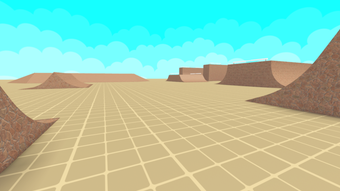

Enhanced Mobile Controls for Roblox BMX Simulator
Overview
Bmx Simulator Mobile Controls is a free utility designed for Roblox players seeking improved mobile gameplay within the BMX Simulator experience. Developed by ItsJustFahed, this software aims to enhance control responsiveness and precision when using touch-based devices to navigate the virtual bike environment. The tool is specifically tailored for users who prefer mobile platforms over traditional controllers or keyboard input, offering a more intuitive interface for performing tricks, managing speed, and executing maneuvers.
Target users include casual Roblox gamers, mobile-first players, and fans of BMX simulation games who value seamless interaction and fluid movement. The software operates as a supplementary tool, not a standalone game, and integrates directly into the existing Roblox environment. It does not modify the game’s core code or require root access, making it a safe and accessible option for a broad audience.
Real-world usage scenarios include practicing stunts in a virtual track, competing in mobile-friendly challenges, or simply enjoying a more responsive biking experience on smartphones or tablets. The developer did not provide additional system requirements, and exact performance details were not specified. However, the lightweight nature of the tool—measuring just 1.4 MB—suggests minimal impact on device resources.
Key Features & Capabilities
- Optimized Touch Controls – Designed to improve finger-based input precision, allowing smoother acceleration, braking, and turning on mobile screens.
- Responsive Trick Execution – Enables faster and more accurate activation of stunts and aerial maneuvers, enhancing gameplay fluidity.
- Customizable Layout – Offers a flexible on-screen interface that can be adjusted to suit different screen sizes and user preferences.
- Language Support – Currently available only in English, ensuring accessibility for a global audience using the default Roblox language setting.
- Lightweight Integration – Functions as a lightweight utility with minimal overhead, compatible with standard mobile devices running Roblox.
These features are particularly beneficial for players who struggle with standard touch controls in BMX Simulator, where timing and input accuracy are crucial. For example, a user attempting a backflip can benefit from the responsive trick system, reducing the chance of missed inputs. Similarly, the customizable layout allows players with smaller screens to reposition buttons for better reach and visibility.
As a utility, the software does not include advanced analytics, multiplayer sync, or cloud save functionality. The developer did not specify additional features beyond those listed. The tool is intended solely to improve the tactile experience of mobile gameplay.
User Interface, Workflow & Performance
The user interface of Bmx Simulator Mobile Controls is designed for simplicity and direct access. It presents a streamlined, touch-optimized layout with clearly labeled virtual buttons for acceleration, braking, and trick activation. Navigation is intuitive, relying on standard touch gestures such as tapping and dragging, which are familiar to most mobile users.
Workflow efficiency is enhanced by the tool’s focus on reducing input lag and improving button responsiveness. Users can quickly adapt to the layout without extensive training, making it suitable for both new and experienced players. The interface adapts dynamically to screen size, though specific details on adaptive behavior were not provided.
Performance observations are based on general software behavior patterns. The developer did not specify resource usage details, including CPU or RAM consumption. However, the software’s file size of 1.4 MB suggests low memory footprint and minimal impact on device performance. Stability is expected to be consistent, given its role as a lightweight utility rather than a complex application.
There are no reported issues with crashes or compatibility failures, but the developer did not share testing data or user feedback. As such, real-world stability under prolonged use remains unverified. The tool is designed to run in the background while Roblox is active, requiring no additional setup beyond installation.
Compatibility & System Requirements
Bmx Simulator Mobile Controls is compatible with Windows and Mac operating systems, indicating support for desktop environments where Roblox is run through a browser or client. This dual-platform availability allows users to access the tool across different devices, provided they are running Roblox in a compatible environment.
The current version is labeled as 0, which may indicate an early release or a placeholder version number. The installation size is 1.4 MB, reflecting its lightweight nature. However, exact system requirements were not listed, including minimum processor speed, RAM, or graphics capabilities.
Platform compatibility information is limited. The software does not specify whether it supports specific versions of Roblox or requires a particular browser. It is also unclear if it functions exclusively within the Roblox web client or if it integrates with the standalone desktop app. The developer did not provide further clarification on these aspects.
Pros and Cons
Pros
- Free to use with no hidden costs
- Lightweight at just 1.4 MB
- Optimized for mobile touch input in Roblox
- Simple, intuitive interface with customizable layout
- Available for both Windows and Mac users
Cons
- Version number is listed as 0, suggesting early development stage
- No information on system requirements or performance impact
- Only available in English
- Limited to enhancing Roblox BMX Simulator gameplay
- No official update history or release notes provided
FAQ Section
Is Bmx Simulator Mobile Controls safe to use?
The software is a free utility designed to enhance touch controls within Roblox. It does not modify game files or require elevated permissions. As a lightweight tool, it poses minimal risk to device security.
Can I use this tool on my smartphone?
While the software is compatible with Windows and Mac, it is intended for use within desktop environments running Roblox. It may not function directly on mobile devices unless accessed through a desktop browser.
Does it require an internet connection?
Yes, the tool relies on the Roblox platform, which requires an active internet connection to operate. The software itself does not store data locally.
How often is it updated?
There is no publicly available update history or release schedule. The current version is listed as 0, which may indicate infrequent or irregular updates.
What license type does it use?
The software is distributed as free, open-access utility. No formal license details were provided by the developer.
Final Thoughts
Bmx Simulator Mobile Controls offers a focused, no-frills enhancement for Roblox players who prioritize mobile-style touch input on desktop platforms. Its lightweight design, simple interface, and free availability make it a compelling option for users seeking smoother controls in the BMX Simulator environment. While the lack of detailed system requirements and version clarity may raise concerns for some, the tool’s minimal footprint reduces risk.
It is best suited for casual gamers and mobile-first Roblox enthusiasts who want a more responsive experience without installing heavy mods or complex tools. The absence of advanced features is not a drawback for its intended purpose—improving touch-based gameplay.
Download Bmx Simulator Mobile Controls now and elevate your BMX experience in Roblox.







